screamingfrog
#Setting up a proxy in ScreamingFrog
Screaming Frog uses a single, global proxy for all crawls.
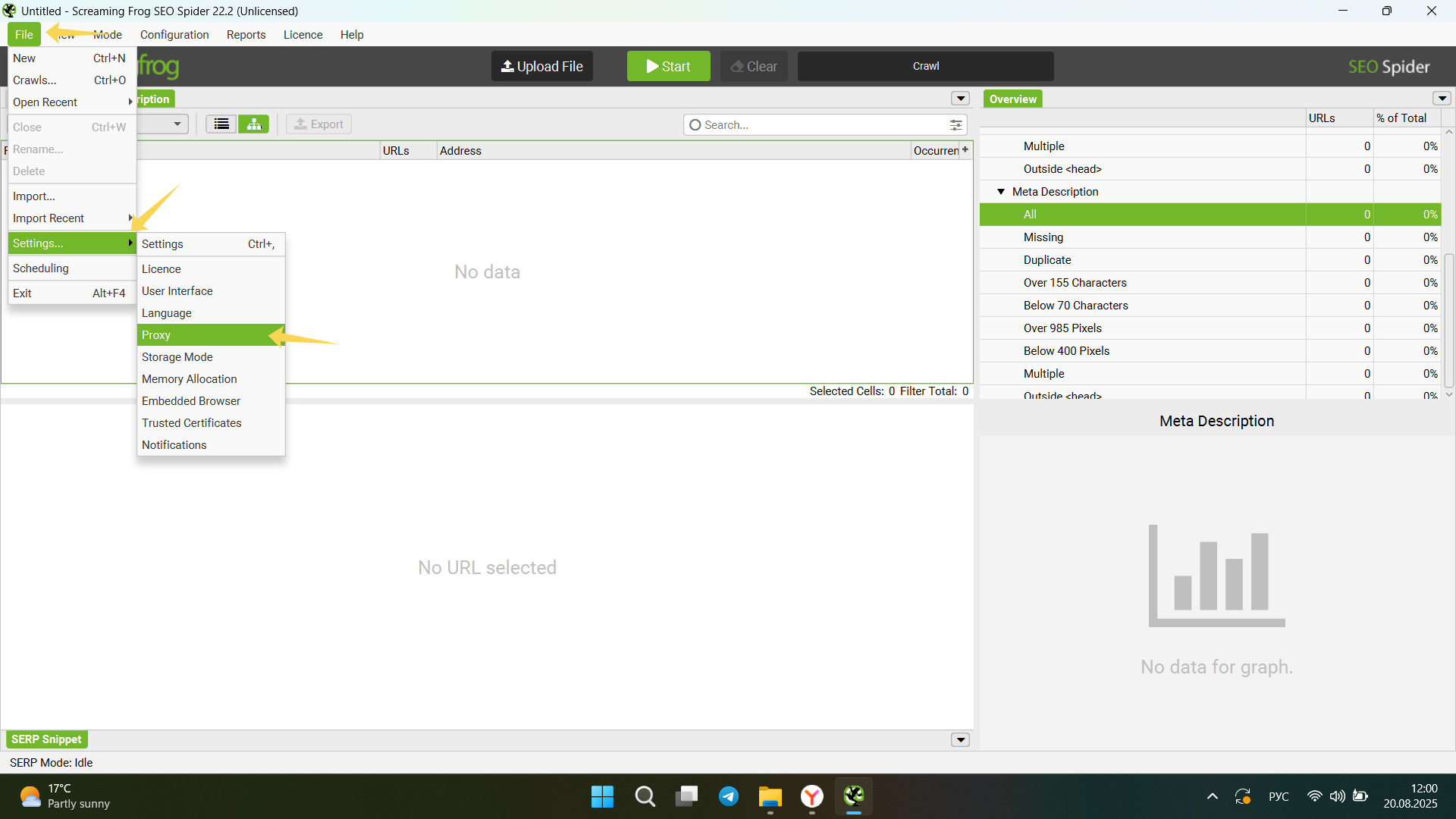
1) Open the Proxy settings
Screaming Frog → File → Settings → Proxy
2) Enter your proxy details
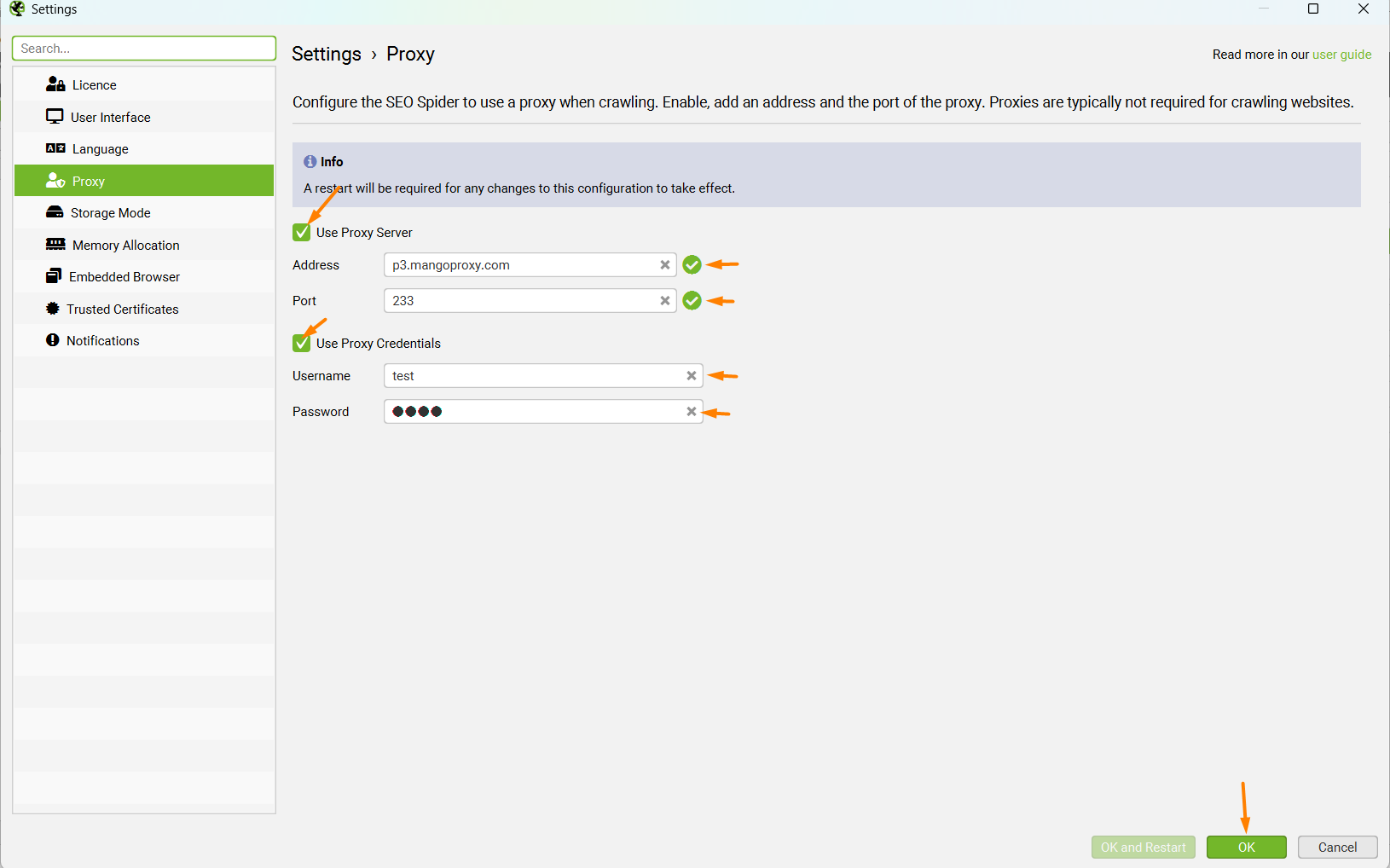
- Tick Use Proxy Server.
- Fill in:
- Address —
p3.mangoproxy.com - Port —
2333
- Address —
- If your provider requires auth, tick Use Proxy Credentials and add:
- Username — e.g.,
test-zone-cis-region-us - Password — your password
- Username — e.g.,
- Click OK (or OK and Restart if prompted).
3) Verify the proxy
Quick IP check
- Switch to Mode → List.
- Upload → Enter Manually and paste
https://api.ipify.org/(orhttps://ipv4.icanhazip.com/). - Click Start and open Response → Body — it should show your proxy IP.
During a real crawl
- Start a crawl and watch for 407 (auth), 403/429 (blocked/throttled), or timeouts.
Crawl tuning when using proxies
- Configuration → Speed: reduce Max Threads (2–5) if the proxy pool has connection limits or you see 429s.
- Configuration → HTTP: increase Response Timeout a bit; enable a few Retries.
- Configuration → Spider → Rendering: disable JS rendering unless it’s essential to lower proxy load.
SOCKS5 note
Screaming Frog does not support SOCKS5 natively. Use:
- Your provider’s HTTP/HTTPS endpoint for the same pool (preferred), or
- A local SOCKS5→HTTP bridge (ProxyCap/Proxifier on desktop;
privoxy/redsockson Linux). Point SF to the bridge’s HTTP port.
IP rotation
- If your provider supports automatic rotation, enable it in the dashboard — SF will use the current exit IP.
- For manual rotation, trigger it in the provider UI/rotation URL and continue or restart the crawl.
Troubleshooting
| Symptom | Likely cause | Action |
|---|---|---|
| 407 Proxy Authentication Required | Wrong credentials or IP allowlisting required | Re-enter username/password or switch to credential-based auth. |
| 403 / 429 / 451 | Target blocks/throttles your IP | Lower threads, add delays, change location/type (residential/ISP). |
| Timeouts / slowness | Long route, unstable POP, wrong host/port | Verify address/port, choose a closer location, increase timeouts. |
| Some URLs never load | Proxy limits or heavy JS rendering | Reduce concurrency, disable JS rendering unless needed. |
Disable / reset
File → Settings → Proxy → untick Use Proxy Server → OK (restart if prompted).